For App Developers & UA Teams
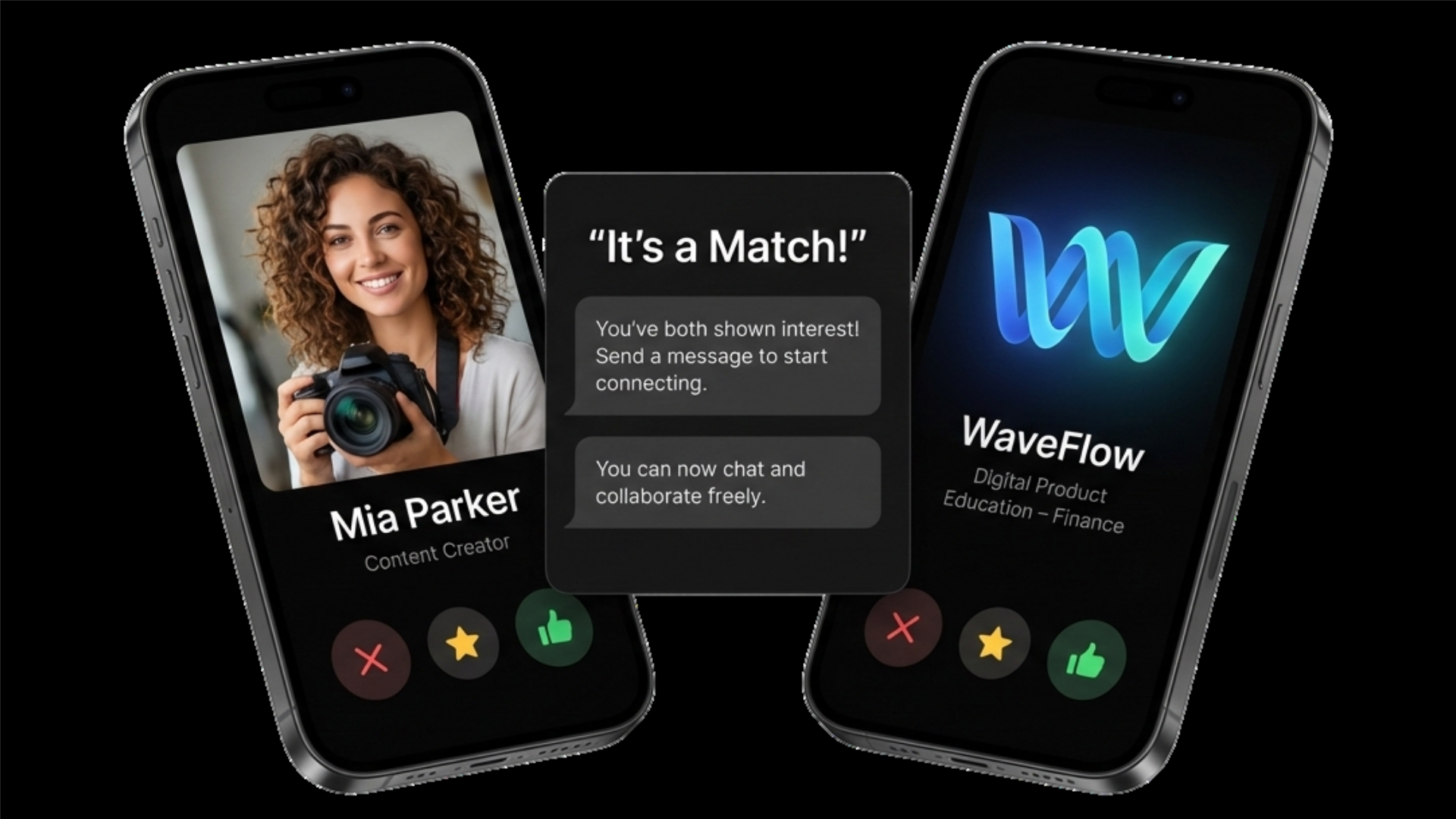
UGC Creators for Mobile Apps

Collab Only UGC creator matching for mobile apps

Match with UGC creators who produce App Store preview videos, user acquisition ad creative, and user testimonials for iOS and Android apps — no agency retainers, no minimum spend.

UGC Content Types for Mobile App Marketing

App developers and publishers need four distinct UGC formats — each serving a different stage of the user acquisition funnel and a different distribution channel.

📱

App Store & Google Play Preview Videos

Real device footage showing authentic in-app use. Converts browser-level visitors into installs directly on the product page. Apple requires 15–30 seconds of actual app functionality — not mock-ups or animated graphics.

Spec: 9:16 · 15–30s · Real device · No mock-up UI
🎯

User Acquisition Ad Creative

UGC-style videos for Meta App Install campaigns, TikTok App Ads, and Google App Campaigns. Creator faces camera, demonstrates the app's core value in under 30 seconds, ends with a direct install CTA. Generates 34% lower average CPI than polished studio ads.

Spec: 9:16 or 1:1 · 15–30s · Hook in 3s · Ad usage rights included
💬

User Testimonial Videos

Creators speak to camera about a specific app feature or use case — designed for landing pages, app product pages, and retargeting ads. Testimonials that cite a specific feature or outcome convert better than generic endorsements.

Spec: 9:16 or 16:9 · 30–60s · On-camera · Feature-specific
🚀

Onboarding Walkthrough Videos

Screen recording overlaid on real device footage, showing new users how to complete the app's core task in the first session. Reduces early churn by setting clear expectations. Used in onboarding email flows and in-app tutorial prompts.

Spec: 16:9 or 9:16 · 60–120s · Screen recording + voiceover

Who Hires UGC Creators for App Marketing

Any team responsible for growing mobile app installs, improving App Store conversion rates, or producing user acquisition creative at scale.

🧑‍💻 Indie App Developers
📊 UA & Growth Teams
🏢 Mobile Game Publishers
💼 SaaS Mobile Apps
🛍️ Ecommerce Apps
🏥 Health & Fitness Apps

How App Teams Hire UGC Creators on Collab Only

Collab Only requires mutual matching before any conversation begins. Every creator you speak with has already indicated interest in your type of app — no cold outreach, no ignored briefs.

  1. 1

    Create a free brand profile

    Specify your app category (gaming, productivity, health, fintech), content format needed (UA ads, App Store preview, testimonial, onboarding), and target device (iOS, Android, or both). Takes under 5 minutes.

  2. 2

    Match with app content creators

    Collab Only surfaces UGC creators experienced with app demonstrations and mobile content. Both sides mutually match — you only talk to creators who want to work with your app category.

  3. 3

    Send your app brief

    Share your app download link or TestFlight access, specify the feature to demonstrate, hook requirement, platform specs (Apple App Store guidelines for previews, or Meta/TikTok for ads), and usage rights scope.

  4. 4

    Receive and deploy content

    Get raw .mp4 files within 5–10 business days. Upload directly to App Store Connect, Google Play Console, Meta Ads Manager, TikTok Ads, or Google App Campaigns without reformatting.

UGC App Content: Cost & Performance Benchmarks (2026)

Real cost and performance data for UGC content types used in mobile app marketing campaigns in the United States.

UGC Content Type Cost Range Delivery Time Primary Channel Key Performance Metric
App Store preview video $100–$250 5–10 days Apple App Store, Google Play +25% install conversion rate vs. no preview
UA ad creative (Meta App Install) $100–$350 5–10 days Meta App Install Campaigns 34% lower CPI vs. studio-produced ads
UA ad creative (TikTok App Ads) $100–$300 5–10 days TikTok App Install Campaigns 2.1x higher install rate vs. brand-style ads
User testimonial video $75–$200 3–7 days Landing pages, retargeting ads +18% landing page conversion rate
Onboarding walkthrough $150–$400 7–14 days In-app onboarding, email flows –22% Day 1 churn rate

Sources: Apple App Store Connect documentation; Meta Creative Best Practices 2025; TikTok Creative Center; StoreMaven App Store Optimization benchmarks 2025

UGC for Mobile Apps: Frequently Asked Questions

What UGC content do mobile app developers need?

Mobile app developers and publishers primarily need four UGC content types: App Store and Google Play preview videos (15–30 seconds showing real in-app use), user acquisition ad creative for Meta App Install and Google App Campaigns, user testimonial videos for landing pages and product pages, and onboarding walkthrough videos that show new users how to use the app's core features.

How much does UGC app demo content cost in 2026?

UGC app demo videos cost $75–$400 per video depending on complexity and creator experience. App Store preview videos (15–30 seconds, 9:16) typically cost $100–$250. User acquisition ad creative for Meta and TikTok costs $100–$350 per video. Full onboarding walkthroughs with screen recording and voiceover cost $150–$400.

Can UGC creators make App Store preview videos?

Yes. UGC creators who specialize in app content produce App Store preview videos that combine real device footage, screen recordings, and natural voiceover. Apple requires App Store preview videos to be 15–30 seconds, filmed on device, and must show actual app functionality — not mock-ups or animated graphics. Google Play allows up to 8 preview videos with similar authenticity requirements.

What is the difference between UGC app ads and polished app demo videos?

UGC app ads are creator-made videos that look like authentic user reviews or demonstrations — filmed on real devices with natural lighting and voiceover. Polished app demo videos use motion design, animated UI overlays, and professional production. Meta's 2025 Creative Best Practices data shows UGC-style app install ads generate 34% lower cost per install (CPI) than studio-produced demo videos on average.

For a full comparison, read UGC vs Professional App Demo Videos.

How do I brief a UGC creator for an app video?

A UGC brief for app content should specify: target platform (iOS App Store, Google Play, Meta, TikTok), device type (iPhone or Android), screen recording requirements, video length and aspect ratio, the specific app feature to demonstrate, the hook (first 3 seconds), required CTA, and whether screen recording overlaid on device footage is needed. App Store briefs must note Apple's prohibition on mock-up UI and exaggerated claims.

For complete templates, read How to Brief UGC Creators for App Demo Videos.

Get UGC Content for Your Mobile App

Match with creators who understand app demonstrations, App Store guidelines, and UA ad formats. Free to start — no retainer required.

Try Collab Only Free